



MythosWin casino Sign In: How to Access Your Account Without Trouble
MythosWin casino Sign In: How to Access Your Account Without Trouble
Signing in should take seconds, not minutes. This guide shows you the quickest way in, walks new players through registration and lists practical fixes for the problems people run into most. You'll also find a short rundown of the welcome offers, the verification rules and how to reach support.
The brand has players from all over the world, and UK players make up a big chunk of them. All the menus are in the English language, and accounts run in USD. It's worth bookmarking this page, just in case you ever find yourself locked out.
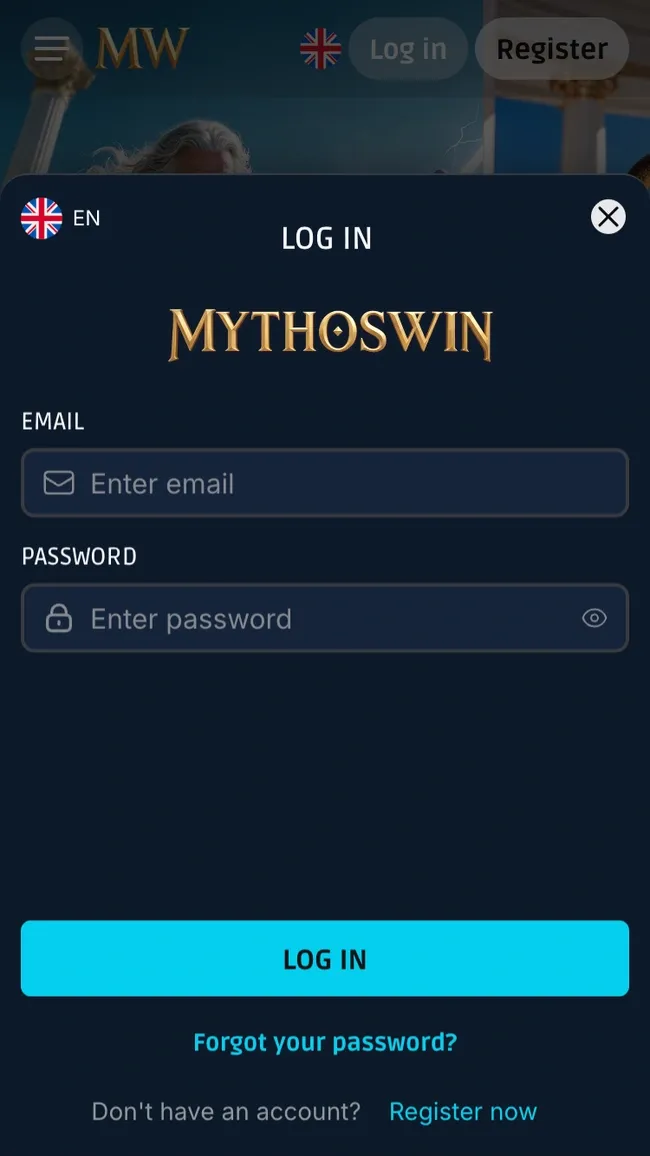
The fastest way to sign in to MythosWin
Already got a MythosWin casino account? Then these four steps are all you need:
- Open the official site in Safari, Chrome, Firefox or Edge.
- Tap or click Log In at the top of the page.
- Enter your registered email and password.
- Confirm with the two-factor code if you've turned that feature on.
Your balance pops up in the header as soon as you're in. From there, you can jump to the lobby, the sportsbook or the cashier. On a phone, the same menu hides behind the icon in the top corner.
Want to make it even quicker next time? Save the site to your home screen. On iPhone, open the share menu in Safari and choose Add to Home Screen. On Android, open the Chrome menu and pick Add to Home screen or Install app. After that, one tap brings up the login form.
New to Mythos Win? Here's how to register
If you don't have an account yet, you'll need to register first. It's a short process, but accuracy really matters here, because whatever you type will be checked against your documents later.
The form asks for:
- your email address and a password
- an account currency, which should be USD
- your full name, date of birth and home address
- a phone number for security alerts
- an optional welcome bonus
Once you hit submit, MythosWin casino online sends you a confirmation email. Open it, click the activation link and that's it. Your account is ready, and you can make your first deposit.
Rules every new account has to follow
Only adults aged 18 or over can register. Each person gets one account, and the details have to be your own. Shared payment methods, or accounts opened on someone else's behalf, can get an account closed. The brand doesn't hold a UK Gambling Commission licence and doesn't work with GamStop, so if you've self-excluded, please don't sign up.
Sorting out MythosWin casino sign in problems
Even a well-run site like MythosWin has the odd login hiccup. The good news? You can fix most of them yourself without waiting for support. Find the one that matches what's happening to you.
Your password isn't accepted
Start with the obvious stuff. Is Caps Lock on? Is your keyboard set to a different language? A different layout can quietly change symbols. If you changed your password recently, make sure your browser hasn't filled in the old one. Still no joy? Press Forgot Password, enter your email and follow the link you get. Set a new password and try again.
Your account is temporarily locked
A few wrong attempts in a row can lock the account for security reasons. Usually the block lifts by itself after a short wait. If you need it sooner, open live chat and ask an agent to check what's going on. Have your name, date of birth and account email ready.
The page won't load or keeps refreshing
This is often down to a broken cookie or a cluttered cache. Try opening the site in a private window. If it works there, clear the cache in your normal browser. Updating the browser, or trying a different one, can help too. On a work or school network, gambling sites may simply be blocked, so switch to mobile data.
Login works on one device but not another
If you can get in on your laptop but not your phone, the problem is almost certainly on the phone's side. Update the browser, clear its data, or delete the old home screen shortcut and make a new one. Also check that your phone's date and time are set automatically, since security systems depend on the clock being right.
The security code never shows up
Text message codes can get held up by your network. Give it a minute, then ask for a new code. If you use an authenticator app, make sure your phone's time is set automatically. A clock that's off by even a minute can make the codes fail.
Device by device: signing in to MythosWin online casino
The login works the same way everywhere, but each device has its own little quirks. The casino MythosWin site runs in your browser, so there's nothing to install apart from an optional home screen shortcut. Here's a quick summary.
|
Device |
Best browser |
Tip for smooth sign in |
|---|---|---|
|
Windows or Mac computer |
Chrome, Edge, Safari |
Keep the browser updated and allow cookies |
|
iPhone or iPad |
Safari |
Use the home screen shortcut for one tap access |
|
Android phone or tablet |
Chrome |
Install the site as an app from the browser menu |
Whatever you use, don't save your password on a phone or computer that other people share. And if the device is shared, log out at the end of every session.
Account settings to check after your first MythosWin login
Once you're in, it's worth spending two minutes in the MythosWin online casino profile settings. Now's the best time to get everything set up the way you like it, before your first deposit.
- Make sure your name, date of birth and address match your ID exactly.
- Add or confirm your phone number for security alerts.
- Turn on two-factor login if the option's there.
- Pick which emails and notifications you actually want.
- Set deposit or loss limits that fit your budget.
Notification settings deserve a second look. Bonus emails and push alerts can tempt you into playing more than you planned, so switch off the ones you don't need. You can always turn them back on later.
Limits and time outs
The responsible play tools live in your account settings too. Deposit limits cap how much you can add per day, week or month. Session reminders tell you how long you've been playing. A time out locks the account for a period you choose. Can't find a tool? Ask support, and they can usually set it up for you. Lower limits normally kick in right away, while higher limits come with a waiting period.
Bonuses you can claim right after registering
New accounts at Mythos Win casino get access to the welcome offers straight away. All you have to do is make a qualifying deposit to activate one. Here's what's currently on the list:
- Welcome pack: 500% up to $40,000 + 500 free spins over several deposits.
- First deposit welcome bonus: 130% up to $3,500 + 130 free spins.
- Crypto welcome bonus: 140% up to $2,600 + 140 free spins.
- VIP welcome: 700% up to $28,000 for high value players.
- Sports welcome: 150% up to $230.
Only one welcome deal can be active at a time. The casino offers suit slot players, while the sports offer is built for MythosWin betting on football, tennis, racing and other events. Pick the bonus before you deposit, because it can't be attached to money that's already sitting in your balance.
Terms worth reading first
Every offer has its own rules. The big ones are the wagering requirement, the time limit for completing it and the maximum stake you're allowed while the bonus is active. Some games count less towards wagering, or don't count at all. Free spin winnings can come with their own conditions as well. You'll find all of this in the bonus terms on the promotions page.
What verification means for your MythosWin login
At Mythos Win, verification (also called KYC) is a one-off process that confirms who you are, how old you are and that the payment method belongs to you. You can sign in and play before it's done, but withdrawals stay on hold until your documents are approved.
You'll usually be asked to send:
- A photo ID, such as a passport or driving licence.
- A recent proof of address, like a bank statement or a utility bill.
- Proof of your payment method, for example a card photo with the middle digits hidden.
Upload everything in your profile under the verification tab. Most checks take one to three working days. Clear, well-lit photos where you can see every edge of the document get approved fastest. If a file is rejected, your profile shows the reason, so you can fix it and send it again.
When an account review limits access
Every now and then, the security team may put an account under review. That can happen after a big win, a change of payment method or a login from somewhere unusual. You'll see a message in your profile or get an email about it. Send the requested documents quickly and the restriction should be lifted.
Getting help from the Mythos Win support desk
If none of the fixes above work, MythosWin support is your next stop. The live chat button sits on every page, even when you're not logged in. It's the only support channel, so it handles everything from unlocking an account to chasing a reset email or a rejected document. English support is standard.
To speed things up, write one clear message with your account email, what you were trying to do and the exact error text. Attach a screenshot if you can, and save the chat transcript in case you need to follow up later.
Staying safe when you contact support
Genuine support agents will never ask for your full password or your complete card number. If someone messages you claiming to be from the casino and asks for those details, treat it as a scam. Only ever use the live chat on the official site.
Quick answers about MythosWin casino accounts
These are the questions players ask us most about signing in to MythosWin and registering.
Do I need to verify my account before I can log in?
No. You can log in and play straight after registering. Verification only becomes necessary before your first withdrawal.
Why am I asked for a code every time I sign in?
Because two-factor login is switched on. It adds an extra layer of protection, and you can manage it in the security settings.
Can I use the same login on my phone and computer?
Yes. The same email and password work on every device.
How long does a password reset email take?
Usually just a few minutes. If it doesn't show up, check your spam or promotions folder.
Is a welcome bonus available as soon as I register?
Yes. The offers open up the moment your account is active, and you claim one with a qualifying deposit.
Who do I contact if my account was hacked?
Open live chat straight away and ask support to lock the account. Then change your password, along with the password for your email account.
Can I change my registered email or phone number?
Yes. Contact support, explain what you'd like to change and confirm your identity. The team updates your details once the check is done.